
Zoom Magnifier
Windows OS of the Day

Zoom Magnifier

5.0 FREE
  • Screenshot 1
  • Screenshot 2

Description

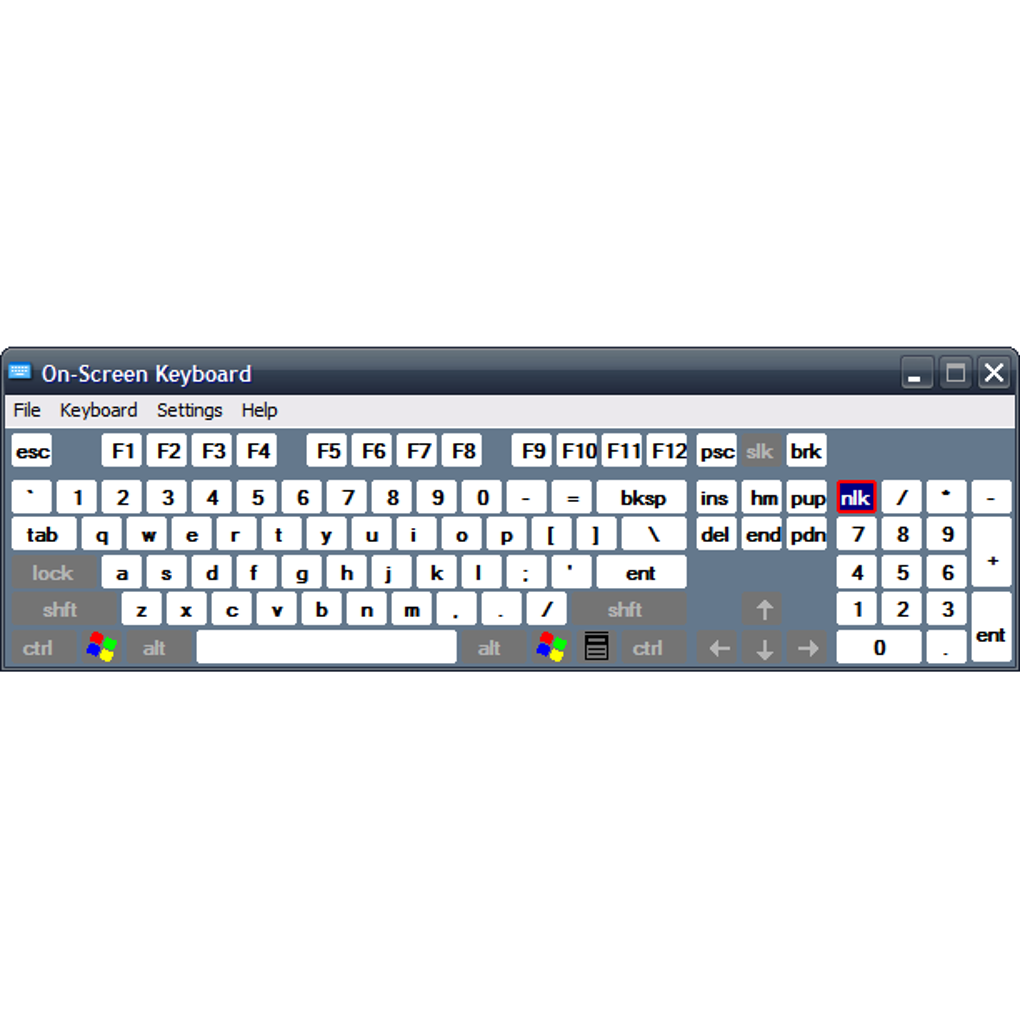
Free virtual keyboard Virtual keyboards are niche products that allow you to continue typing your documents should your physical keyboard breaks. While they do the job, they don't come with added features and have no configuration options. Luckily, there are third-party keyboard apps, portable even, that you can use. On-Screen Keyboard Portable is one such app. As the name suggests, it is a virtual keyboard that you can take with you anywhere by saving it on your USB flash drive. A keyboard on-screen As with any keyboard app, On-Screen Keyboard Portable comes with an interface that looks like a physical keyboard . Everything in the app is pretty basic, allowing you to type by clicking with your mouse. There are no fancy effects or elements in the app, so you can start typing right after you launch the app. You may also like 3.8 Free Free Virtual Keyboard A free and accessible typing solution 3.2 Trial version Hot Virtual Keyboard Replace Windows On-Screen Keyboard with a modern alternative! 3.5 Trial version Comfort On-Screen Keyboard Pro Virtual On-Screen Keyboard for Touchscreen, Ultra-Mobile PC UMPC,TabletPC, kiosk Unlike some similar software, this utility app includes more than the usual keys —numbers, letters, and symbols. Here, you can also find the other helpful keys, such as the arrow keys, insert, and print screen. There is even a scroll lock key , which modern keyboards don’t have these days. To keep your virtual keyboard in place, On-Screen Keyboard Portable comes with a dock key . When pressed, this key will put the app at the bottom of your screen. The keyboard will then remain immovable unless you press the dock key again. More so, it will expand your keyboard until it fills the bottom of your screen. Configuration and other options While On-Screen Keyboard Portable looks basic, it does have a few configuration options . It has a settings menu that lets you make some changes. Among the adjustments you can make are enabling the click sound and adding a numeric pad to your keyboard. Interestingly, it provides you with various ways to use it . Besides clicking on the keys , you can also choose to hover or scan them. The latter two have settings to adjust their hover duration or scanning speed. On-Screen Keyboard Portable also comes with a text prediction feature, which is something mobile keyboards have. With this, you can type in a few letters and choose among the words that the keyboard will provide. More so, you have the option to insert a space after every predicted word. As noted, the app is fully portable , so you can copy all its files on a removable drive and use it without prior installation. More than that, you can access it using a joystick, a gamepad , or any other gaming device. Lastly, it is lightweight and does not hamper system performance, which is good news if you plan on launching it on older workstations. An easy-to-use virtual keyboard On-Screen Keyboard Portable is a fine choice if you are looking for a reliable on-screen keyboard . It serves as a good back-up of sorts should your physical keyboard break or malfunction. Although it has no special features, it does the job without much hassle and configuration. It's also portable so you can take it anywhere with you. More, it remembers your settings when you exit, which is a bonus if you use it regularly.

Guides & Tutorials for On Screen Keyboard Portable

How to install On Screen Keyboard Portable
  1. Click the Preview / Download button above.
  2. Once redirected, accept the terms and click Install.
  3. Wait for the On Screen Keyboard Portable download to finish on your device.
How to use On Screen Keyboard Portable

This software is primarily used for its core features described above. Open the app after installation to explore its capabilities.

User Reviews for On Screen Keyboard Portable 0

    No reviews found

Similar Apps




